Skip to Content
Automower® support
Where to find the serial number and product number on your Automower® robotic lawn mower
To register your Automower® robotic lawn mower, find spare parts or get support, you’ll often need the serial number and product number (also called the article number or PNC). This article shows where to find this information on your robotic lawn mower, charging station and within the various Husqvarna apps, including the Automower® Connect app. For other Husqvarna products, see our general guide on finding serial numbers and product data: Find serial number, model name and other product data on Husqvarna products.
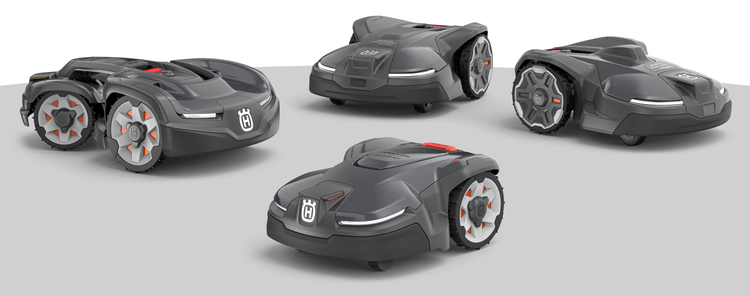
On the product plate
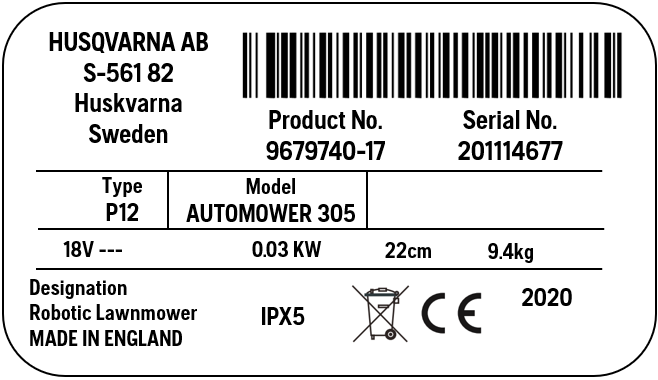
The product plate is a small label or sticker attached to your robotic lawn mower or charging station.
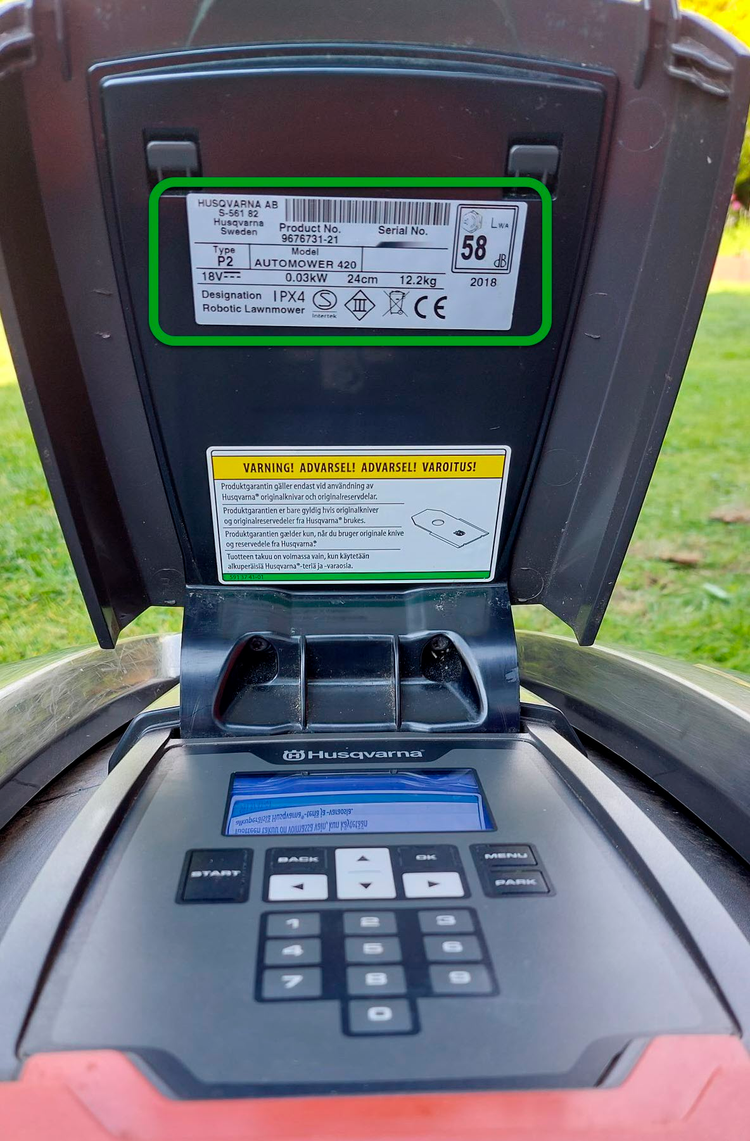
For Automower® models with a display hatch:
Open the hatch. The product plate is located underneath.
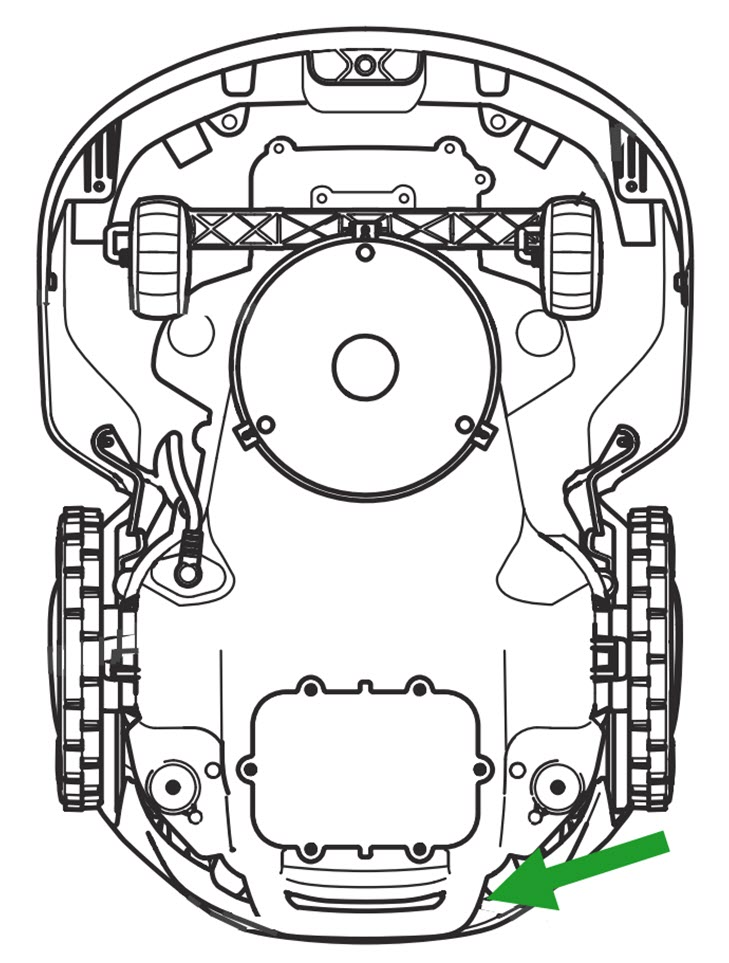
For Automower® models without a display hatch:
Check the underside of your robotic lawn mower, near the handle.
Note: Before lifting or turning your robotic lawn mower upside down, make sure it is powered off.
Alternatively, remove the top cover and look for the rating plate underneath. See an example from an Automower® 310E NERA below.
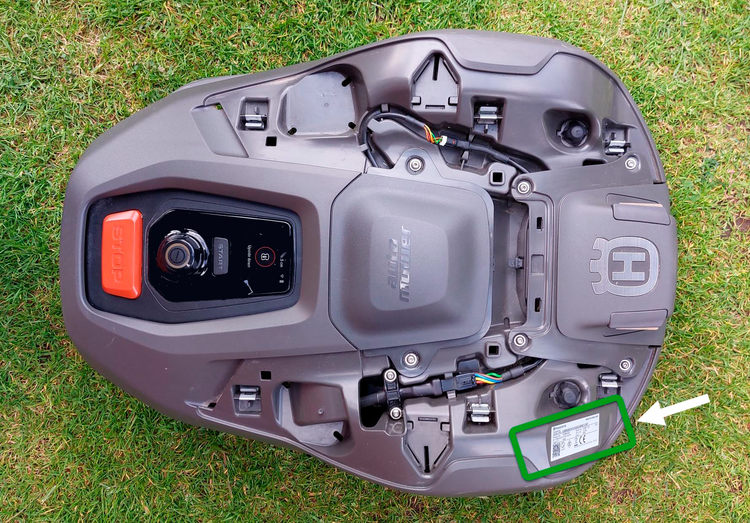
To remove the top cover, here are step-by-step guides and videos for different Automower® models:
How to remove and install the body of Automower® 430V NERA and 450V NERA
How to remove the body of Automower® 308V, 312V and Aspire™ R6V
How to remove the body of Automower® 305, 310 Mark II, 315 Mark II, 405X and 415X
How to remove the body of Automower® 320 NERA, 430X NERA and 450X NERA
How to remove the body of Automower® 305E NERA, 310E NERA, 405XE NERA and 410XE NERA
How to remove the body of Automower® Aspire™ R4 robotic lawn mower
For the charging station:
The product plate is on the charging station tower.
Product plate example
On the mower’s display
For mowers with a display and keyboard:
Go to the menu on your mower’s display.
Select the Settings symbol.
Select General > About.
In the Automower® Connect app
Follow these steps to find the serial number and other product information in the Automower® Connect app:
Select your lawn mower.
Tap Mower details.
Under Overview, you’ll find the model name, serial number and firmware version.
In the Husqvarna® Connect app
Find technical data such as dimensions, capacity, charging time and noise level in the Husqvarna Connect app.
Open the app.
Select your lawn mower.
Tap Maintenance.
Select Technical specification.
On MyPages
If you have registered your robotic lawn mower, some of this data is available on MyPages. Log in and select your mower to view the information.
Learn more about product number, serial number and Husqvarna ID
What are product number, article number, serial number and Husqvarna ID?
Product number or article number
The product number (also called article number or PNC) is a 9-digit number, usually starting with 5 or 9, that identifies the product model.
Serial number
The serial number is a unique code that includes production date and sequence number. Formats and the information they include can vary between products.
Some examples:
202701755 (YYWWNNNNN)
20221612345 (YYYYWWNNNNN)
112221X123456 (MMDDYYletterNNNNNN)
Y = Year
W = Week
DD = Day of the month
N = Sequence number
Husqvarna ID and QR code
Some Husqvarna products come with a Husqvarna ID (HID), a unique code that helps identify your product. You can use it to register your product on MyPages or add it to apps like Husqvarna Connect.
What the HID looks like
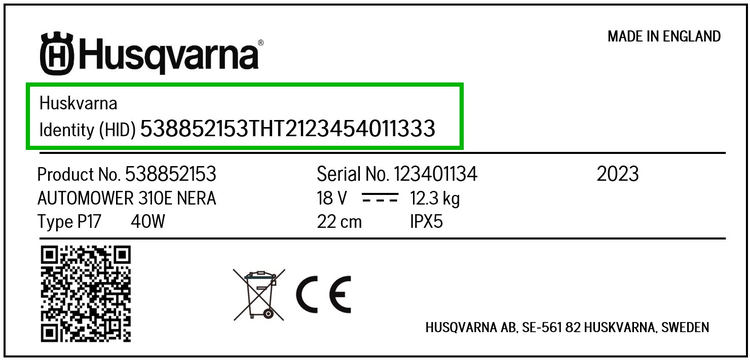
Example: HID: 967864000SNY2020374011238
This code includes:
[967864000] Product number/article number
[SNY] Production line ID
[2020] Production year
[37] Production week
[4] Day of the week, 1–7, Monday to Sunday
[01123] Sequence number
[8] Validation number
What about the QR code?
Many products also have a QR code that you can scan with your phone to access the same product details, such as serial number, product number and registration information.
Need more help?
If you are having trouble locating your product’s serial number or other details, please contact your local Husqvarna dealer.