Skip to Content
Automower® support
Install virtual boundaries with Husqvarna EPOS®: Two installation options
Husqvarna EPOS® (Exact Positioning Operating System) technology lets you create virtual boundaries for your robotic lawn mower using the Automower® Connect app. For wire free operation, your Automower® model must support EPOS® technology.
EPOS® technology key facts
Learn about EPOS® technology
Uses advanced positioning technology (RTK) that combines satellite signals with correction data for accurate navigation
Achieves centimetre-level navigation accuracy
Two installation options available: via Husqvarna Cloud (available in select markets) or with a local reference station
Supported lawn mowers
See which Automower® models are compatible with EPOS®Note: Model availability differs between markets.
Models with Wi-Fi connectivity only
Automower® 305E NERA, 310E NERA, 320 NERA (with integrated EPOS® technology or with an EPOS® Plug-in accessory, depending on model year)
Automower® Aspire™ R6V, 308V, 312V
A Husqvarna dealer can add mobile connectivity to these models by installing an Automower® Connect kit accessory.
Models with Wi-Fi and mobile connectivity
Automower® 405XE NERA, 410XE NERA, 430X NERA, 450X NERA (with an EPOS® Plug-in accessory)
Automower® 405VE NERA, 410VE NERA, 430V NERA, 450V NERA
Models with mobile connectivity only
Automower® 435X AWD NERA
Can your robotic lawn mower be upgraded to EPOS® wire free operation?If you have one of the following Automower® models that doesn’t include the EPOS® Plug-in accessory, you can buy it separately to upgrade to wire free operation:
Automower® 305E NERA, 310E NERA, 320 NERA
Automower® 405XE NERA, 410XE NERA, 430X NERA, 450X NERA
You can easily install the EPOS® Plug-in accessory yourself. Once mounted on your mower, a firmware update will be required, which can be done through the Automower® Connect app. The app will walk you through each step of the process. For purchasing options, visit the Parts and Accessories section on the Husqvarna website or reach out to your local dealer.
EPOS® via Husqvarna Cloud
When to choose EPOS® via Husqvarna Cloud and its advantagesKey benefits and facts:
Simplified installation: no reference station needed
Available in the following markets: United Kingdom, Ireland, Germany, Austria, France, Belgium, Sweden, Italy, Spain, Denmark, Czech Republic, Norway, Netherlands, Finland, Poland, Portugal, Switzerland, Estonia, Latvia, Lithuania, Slovenia, Slovakia, Hungary, South Korea, Australia (partial coverage starting in July), New Zealand (partial coverage starting in July), USA (limited availability by region). In other markets, a Husqvarna reference station is needed to receive satellite signals.
Requirements:
The lawn mower needs a stable internet connection, either through cellular data or home Wi-Fi, across the entire work area.
Depending on the model, a good view of the sky across the entire lawn is also required to receive satellite signals and navigate reliably:
Models equipped with AI vision technology use the integrated camera to navigate through areas with an obscured view of the sky, helping the lawn mower keep mowing for a limited distance, provided it can see grass. For more information about AI vision technology, read our article: How Automower® AI vision technology works
Other wire free models require an unobstructed view of the sky across the entire lawn.
Cost:
Available at no additional cost for Automower® models equipped with EPOS® technology.
When to choose EPOS® via Husqvarna Cloud:
Your whole lawn has stable mobile or Wi-Fi coverage (depending on model).
For convenient installation without the need for a local reference station.
EPOS® via a local reference station
When to choose a reference station and its advantagesKey benefits and facts:
Standalone solution: no internet connection required for navigation.
Not dependent on external networks.
One-time purchase and installation.
Requirements:
The reference station must be installed at least 2 metres (6.5 feet) high, with a clear view of the sky in all directions and preferably near a power outlet.
The robotic lawn mower also requires good view of the sky across the entire lawn to receive satellite signals.
Professional installation by a Husqvarna dealer is required for Automower® Aspire™ R6V, 308V and 312V.
Self-installation or dealer installation available for other wire free models.
Find step-by-step instructions for installing the reference station in our EPOS® installation guide.
Cost:
One-time purchase and installation of the reference station accessory.
Professional installation by a Husqvarna dealer is required for Automower® Aspire™ R6V, 308V and 312V.
When to choose a reference station:
Your lawn area lacks stable mobile or Wi-Fi coverage.
For optimal edge-cutting results, due to the superior navigation accuracy (for models equipped with EdgeCut).
For a standalone solution without the need of internet or external networks.
Handling weak satellite signal
Learn how different models handle areas with limited satellite coverageAll EPOS® installations require a clear view of the sky across the entire lawn to receive satellite signals. If there are tall buildings or dense trees with wide crowns (over 4 metres/13 feet across), they can block the satellite signals in the areas they cover.
However, different Automower® models handle weak satellite signal in different ways:
Models with AI vision technology use the camera for backup navigation. Learn more about Automower® models with AI vision technology.
Other Automower® NERA models can use a support wire to guide the mower in areas with weak satellite coverage. Learn more about EPOS® Support by Wire.
How to check Wi-Fi and mobile network coverage
Quick tips for checking connectivity and coverageWhether you are considering buying an Automower® and want to check coverage, or you already have one and want to test it, here are some methods to help you:
With your smartphone
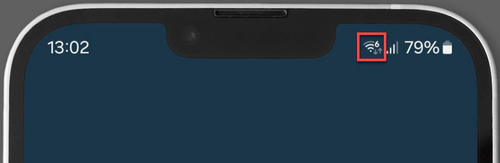
Wi-Fi signal: A smartphone can be used to first check the Wi-Fi reception quality in the lawn. The phone should indicate at least one bar in all lawn areas in order for the robotic lawn mower to operate reliably.
Mobile signal: Since the mower and the smartphone use different mobile technologies and networks for connectivity, the phone’s signal indication may not be reliable. Learn more about mobile connectivity here.
With the mower’s display
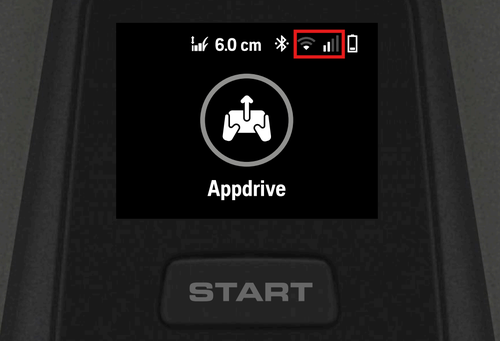
Drive your robotic lawn mower with the appDrive throughout your lawn to test the Wi-Fi and mobile network coverage. The mower display should indicate at least one bar in order to ensure reliable operation when using EPOS® via Husqvarna Cloud.
With the Automower® Connect app
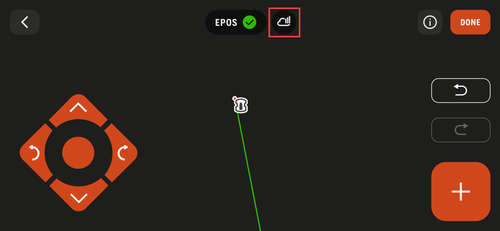
Once EPOS® is activated in the Automower® Connect app, you can see the signal strength for the connection. The cloud icon should have at least one bar to make sure the mower can operate.
If the mower keeps stopping in the lawn
If the mower repeatedly stops in certain areas of the lawn, it may be due to poor Wi-Fi coverage or due to satellite signal issues. Find troubleshooting tips in our article: Troubleshooting satellite connection and internet coverage issues in EPOS® wire free installations